Welcome to our fourth newsletter! Lumios has gone from a discovery and review platform to handling the full matter lifecycle. We shipped AI-driven litigation holds and collections, multi-case intake, a docket page that keeps the portfolio current automatically, drafting and annotation across every file type, a cluster-first workflow for interrogatories, and a redesigned portfolio with a similarity heatmap and exportable reports. We've also been expanding our deployments with enterprise teams. Here's the full rundown.
Litigation Holds & Collections NEW
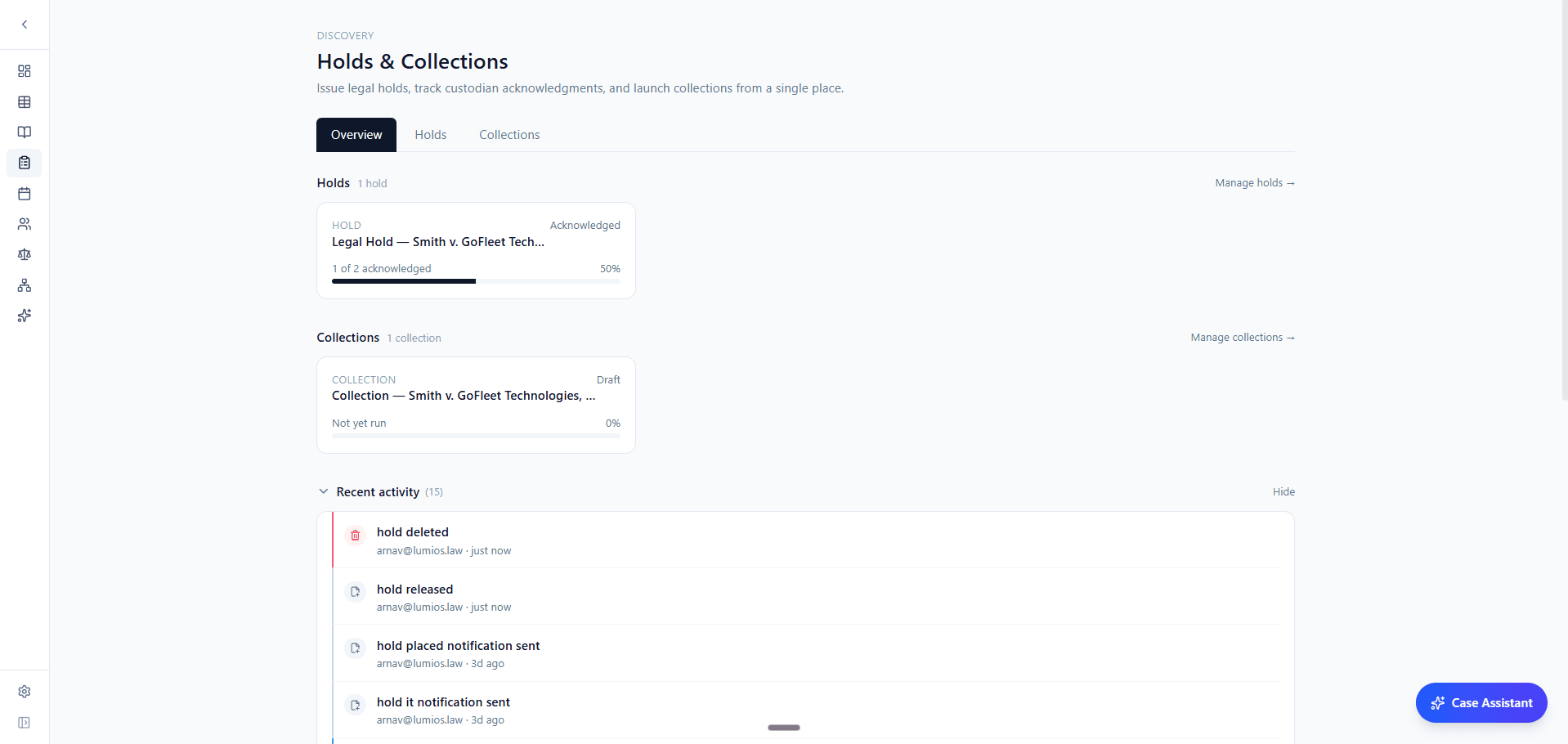
Lumios now handles the holds and collections process end to end, with AI drafting at each step. You can issue a hold, track each custodian's acknowledgment with automatic reminders, and convert the hold into a collection plan when discovery opens. The case, custodian list, and audit trail carry through.
The hold notice workflow drafts the notice from the hold's scope and parties, sends it to each custodian, and tracks who has acknowledged. You can set an end date and a reminder schedule per hold. The timeline view shows every event for a hold in order: sent, opened, acknowledged, escalated, released. Releasing a hold takes one click and is recorded on the same timeline.
When discovery opens, the hold-to-collections converter brings the custodian list and scope across automatically. AI drafts the search terms and the per-custodian scope from the hold. A scope slider controls how broad the collection is, from keyword-only up to everything-mode (every file the custodian touched in the window).
Collections run against your connected data sources: Gmail, Google Drive, Google Vault, Slack, Microsoft 365, Outlook, OneDrive, Teams, Box, Dropbox, Oracle, Salesforce, LawVu, and 28 more. Credentials are encrypted at rest with a per-tenant key. New sources are connected entirely from settings, and the collection workflow is the same regardless of which sources you're pulling from.
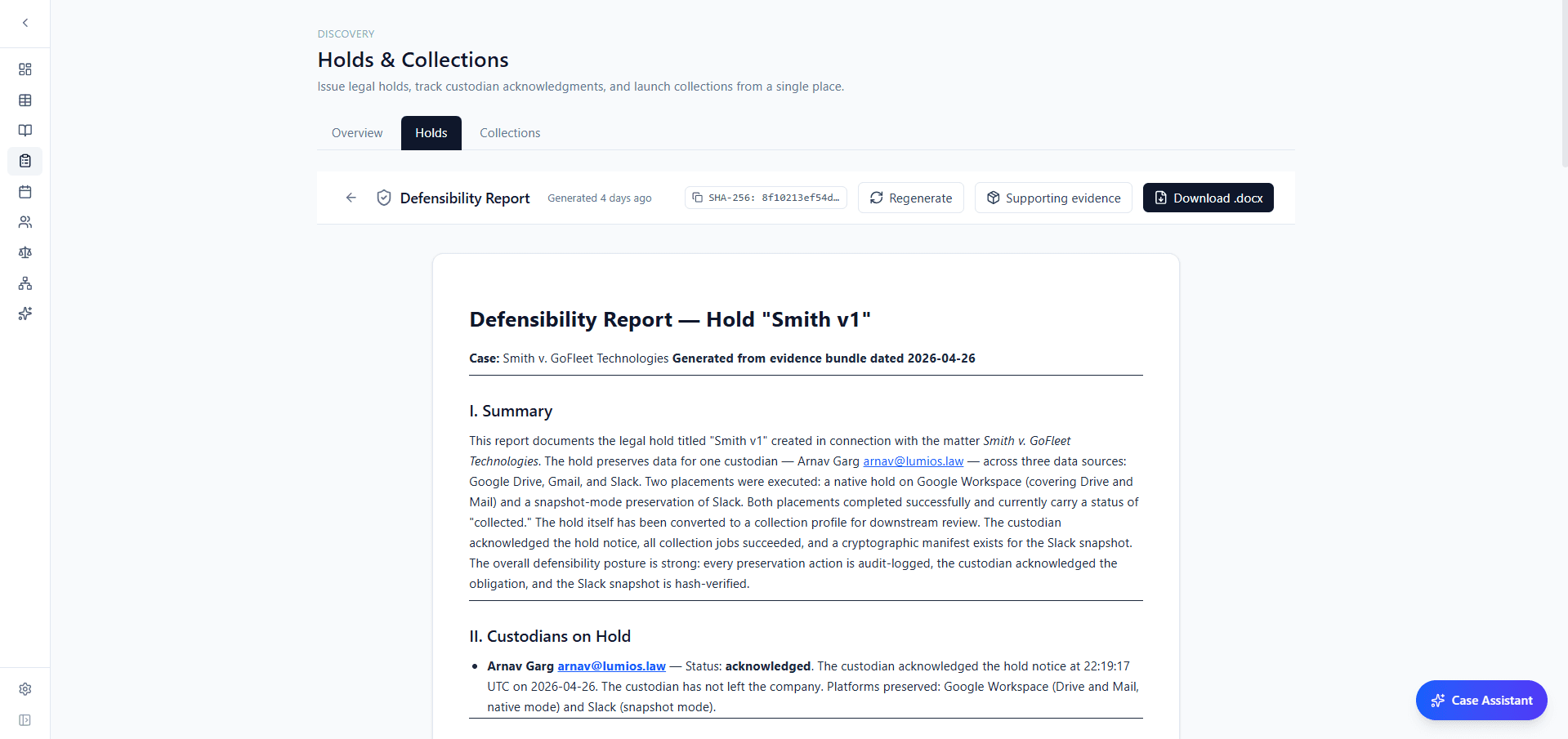
The whole process is logged for defensibility. You can generate a defensibility report at any point that covers the hold's scope, the custodians and when each acknowledged, the data sources under preservation, the collection methods used, and a SHA-256 hash of the evidence bundle. Every action (notice sent, custodian acknowledged, collection executed, hold released) is audit-logged and appears in the report, and the supporting evidence files can be downloaded as a separate bundle.
Inbound Email & Multi-Case Intake
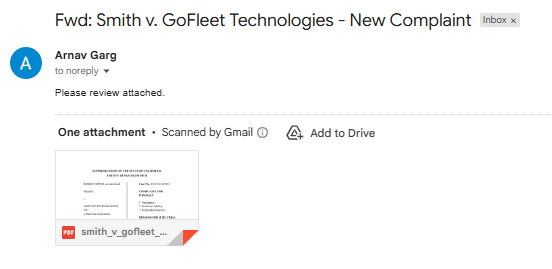
Email routing rules connect a Gmail inbox to Lumios and classify every incoming message into a category you define: new matter, document production, opposing counsel, internal. Each rule can file the message into a specific case, kick off intake, or forward it to a teammate. Routing happens within seconds of the email arriving, and the activity log records every decision and the rule that matched.
Multi-case intake handles a folder of documents that covers several matters and needs to be broken up. Drop the whole folder into the upload modal. Lumios groups the files by matter, drafts a case shell for each group (parties, matter type, jurisdiction), and presents the result for review. When you approve a group, it becomes a real case with the documents already attached.
Cluster-First Interrogatory Workflow
Interrogatories used to run through the same per-item pipeline as RFPs. That worked for production requests but not for ROGs, where partners want to set the strategy at the category level and have the responses follow from there.
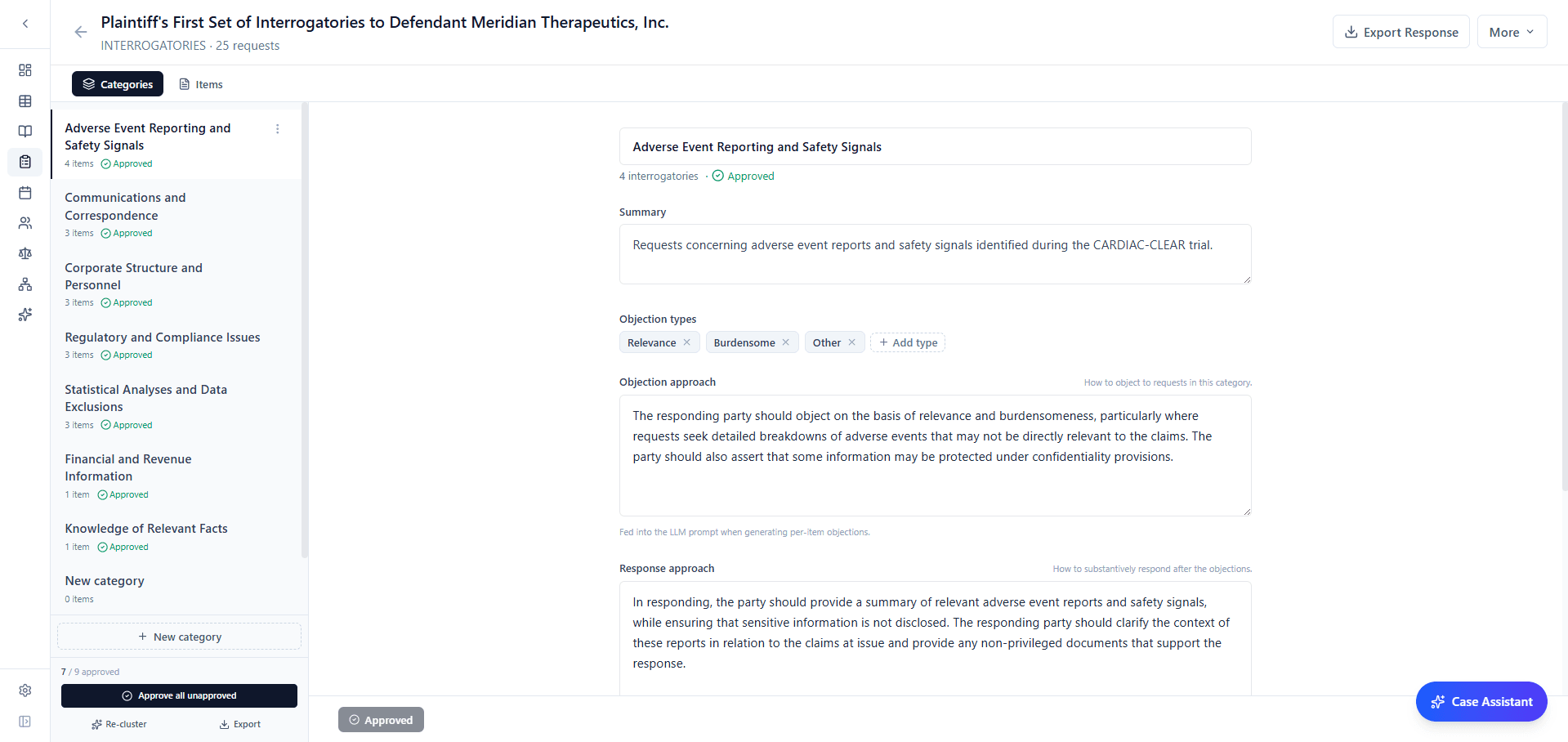
Now, clusters generate first. Lumios groups the interrogatories by topic and drafts an objection approach and a response approach for each group. The partner edits the strategy on the cluster and approves it. Only then does per-item generation run, using the approved approach. Each individual objection and response is drafted with the partner's direction in mind from the start.
Clusters are fully editable. You can rename them, merge two together, move items between them, or create an empty cluster and add items manually. Anything that doesn't fit a cluster cleanly stays in an unclustered group so you can place it by hand or generate it on its own.
Per-item drafting pulls from a new cross-case response templates library that finds similar prior responses by semantic match. The editor uses these as references when drafting. A Similar Requests panel sits next to each response and shows the closest interrogatories from the same discovery request, plus matches from any other matters you've allowed Lumios to use as context.
Docket & Portfolio Auto-Update NEW
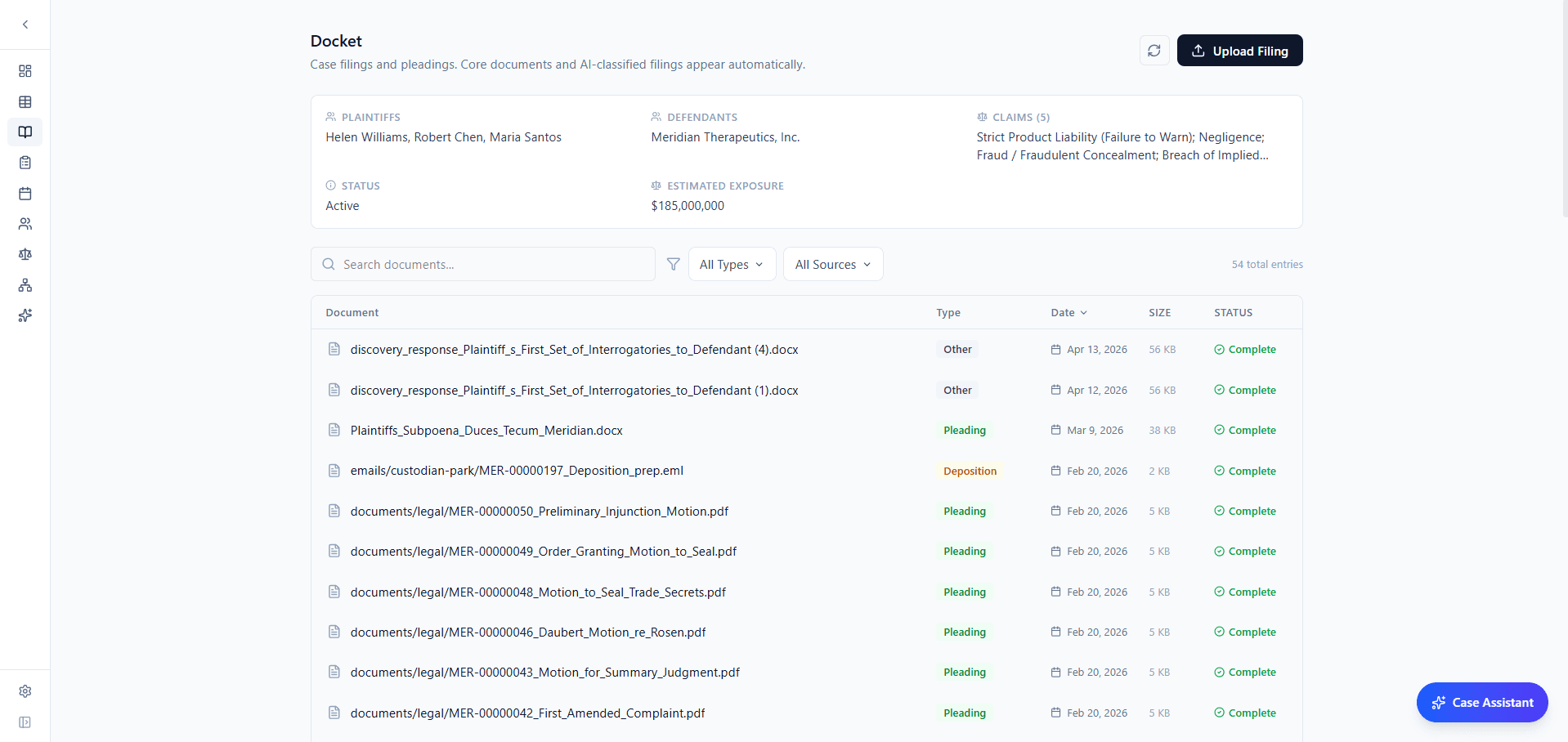
Every case now has a Docket page. The header shows the parties, claims, status, and exposure. The full filing list runs below. Filings are classified automatically on upload (pleading, motion, deposition, order), so the docket stays organized without anyone tagging by hand. You can search, filter by type, and sort by date.
The docket also drives portfolio auto-update. When a new filing comes in, Lumios reruns relevance scoring on the case's documents, so documents that weren't flagged as relevant before are reconsidered against what the new filing brings up. The case's notes and portfolio metadata update at the same time, so the portfolio reflects the current state of the matter. Case notes themselves are generated from the docket: the overview lays out a structured breakdown of the filings, with current phase, key deadlines, last significant update, and materiality assessment.
Drafting & Annotation
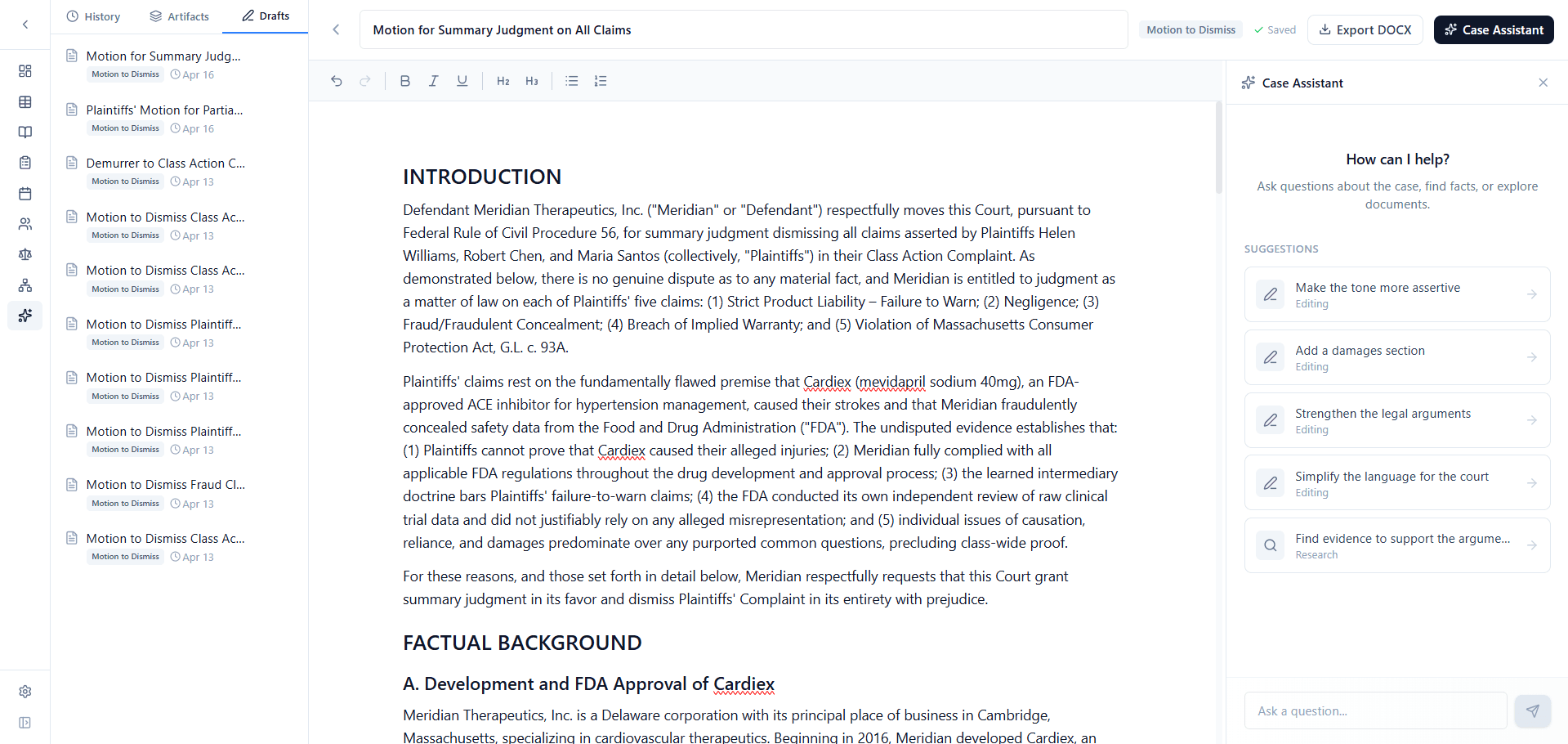
The new draft editor handles every draft type in one place: motions, responses, correspondence, anything else. You can ask the assistant to add a counter-argument, soften the language, or pull in a cited fact, and it edits the draft directly. Version history runs alongside the editor, DOCX export is one click, and long generations run in the background.
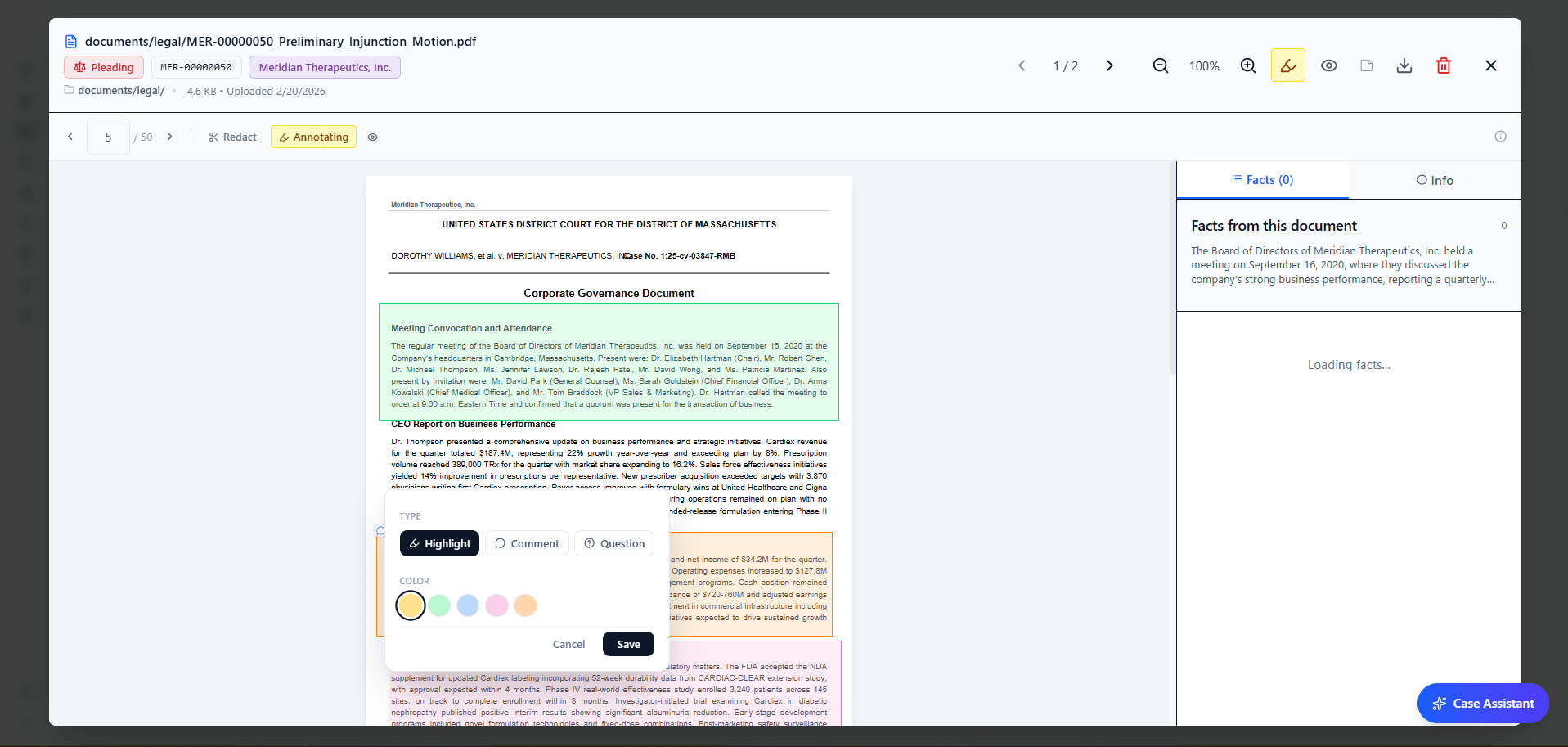
Annotation now works on every document type: PDF, DOCX, email, image, spreadsheet. Highlights are color-coded, deep-linked to a specific page or cell, and persist for the whole team across sessions. The Case Assistant pulls annotated passages directly into its context when you ask it questions, so highlighting a key paragraph is also a way to flag it for the AI.
Portfolio: Similarity Heatmap & Reports
The portfolio now has a list view with sortable columns, a filter rail (matter type, state, status, phase, judge, opposing counsel), and a one-line summary generated for each case. Outcome badges show settlement, judgment, or active status.
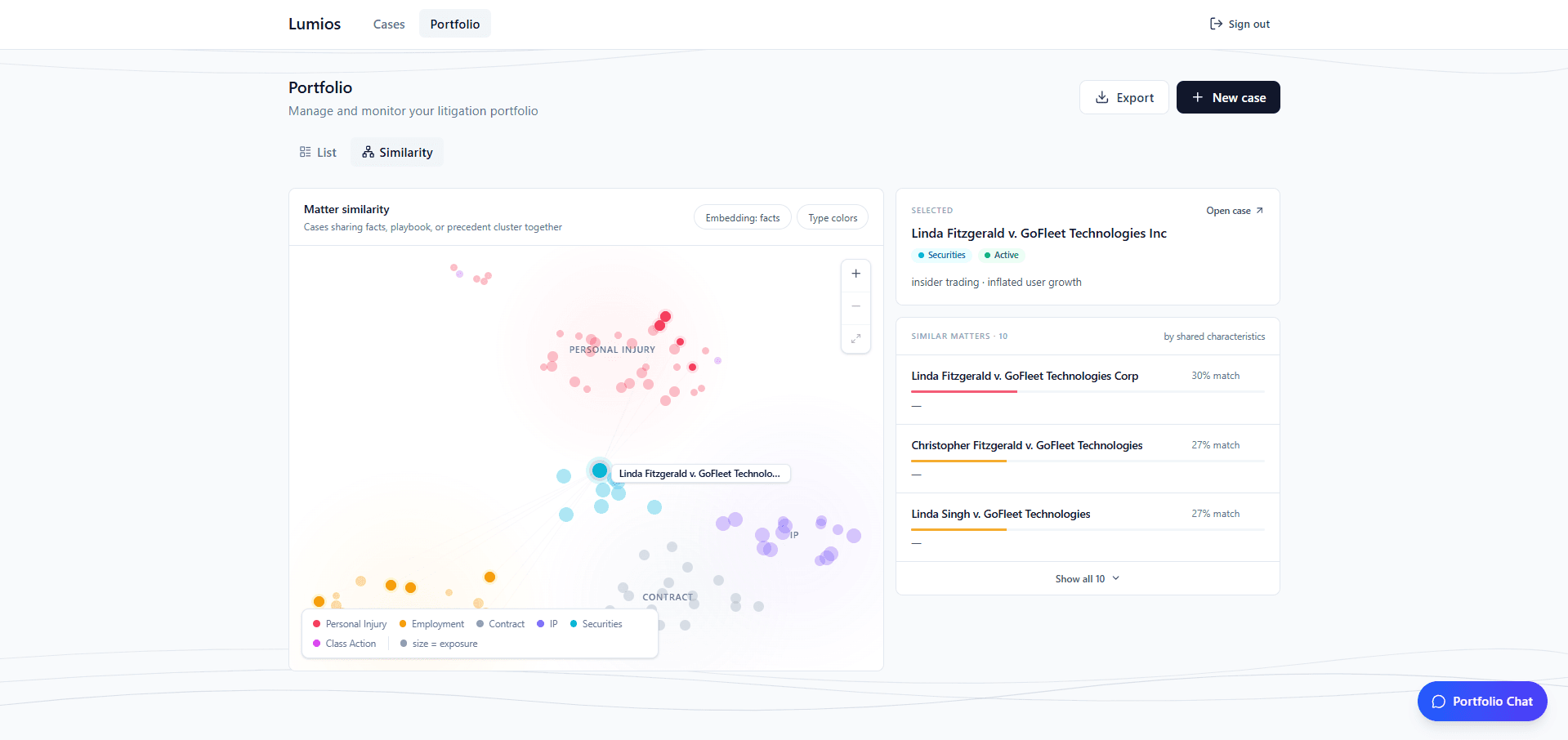
The new similarity heatmap plots your cases in 2D space where distance reflects matter similarity. Cases are colored by matter type and sized by exposure. Click a case to see its closest neighbors and outcome data. For firms with recurring matter types, the heatmap surfaces patterns the list view doesn't.
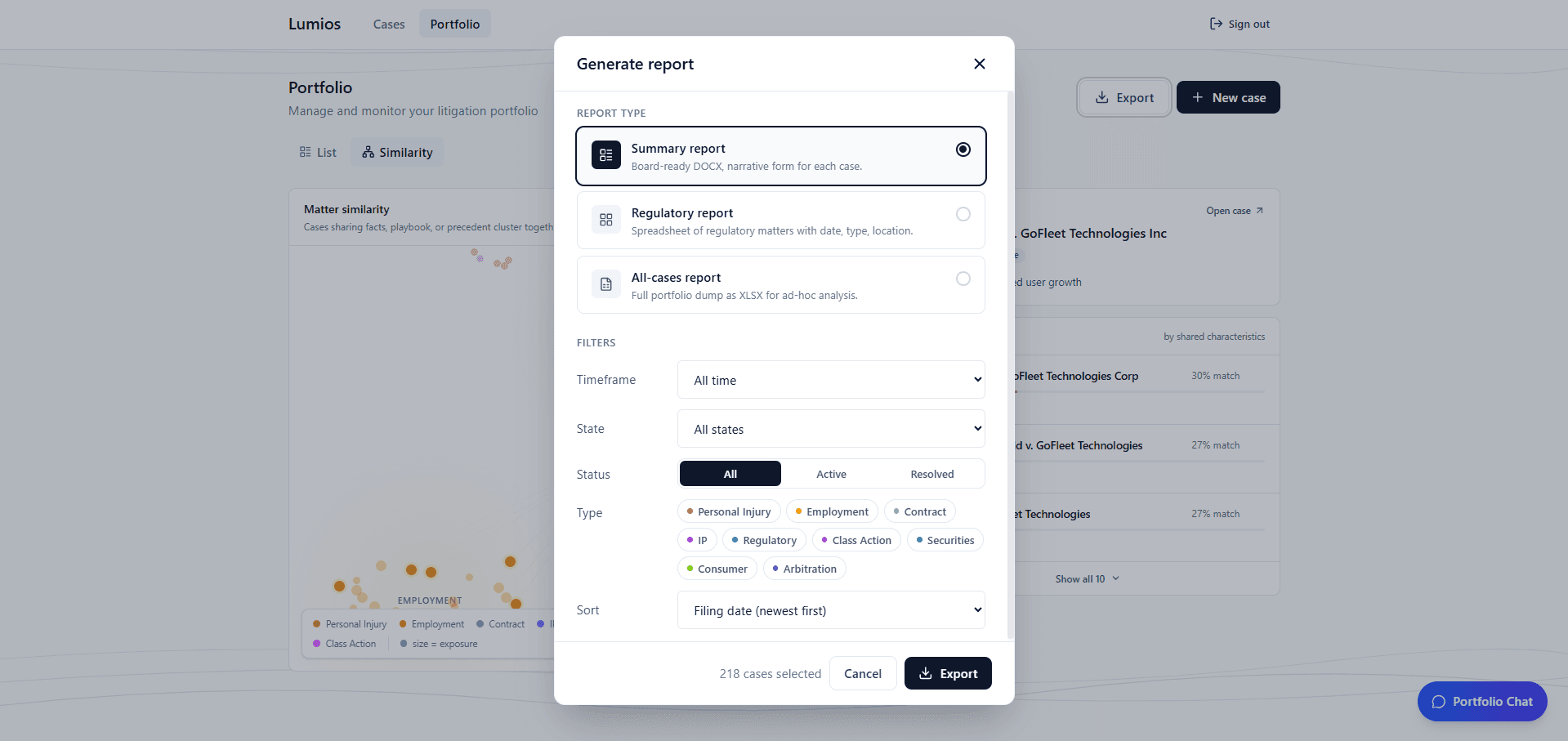
Portfolio reports export a Word or Excel breakdown of any filtered subset of your cases. There are three formats: a summary report (board-ready DOCX with a narrative per case), a regulatory report (spreadsheet of regulatory matters with date, type, and location), and an all-cases dump for ad-hoc analysis. Pick a format, set the filters, and export.
What's Next
April was about expanding Lumios past discovery and review. In May we're going deeper with our enterprise deployments and building out more use cases across our whole product. If you want to shape what comes next, we'd love to hear from you.
Want to see Lumios in action?
Book a call and we'll walk you through the platform on your data, or spin up a sandbox so your team can try the full workflow firsthand.
Book a CallBest,
Dhruv & Arnav