Welcome to our sixth newsletter.
This month we rebuilt how you respond to requests for production. It's now an AI-driven flow: Lumios reviews and codes the documents, drafts the objections and responses, and takes you all the way to a defensible production, with a reviewer in control the whole time. We've already run five successful productions on it with beta users. Every one of them told us it's far easier to use than the legacy eDiscovery tools they came from.
The Case Assistant got more powerful too. And for in-house teams, we shipped legal spend tracking, automatic insurance tenders, and a portfolio assistant that works across every matter at once. We're building all of this as we expand our enterprise pilots and learn from the teams running them.
Here's what shipped, split into updates for litigation counsel and for in-house counsel teams.
A new flow for responding to RFPs NEW
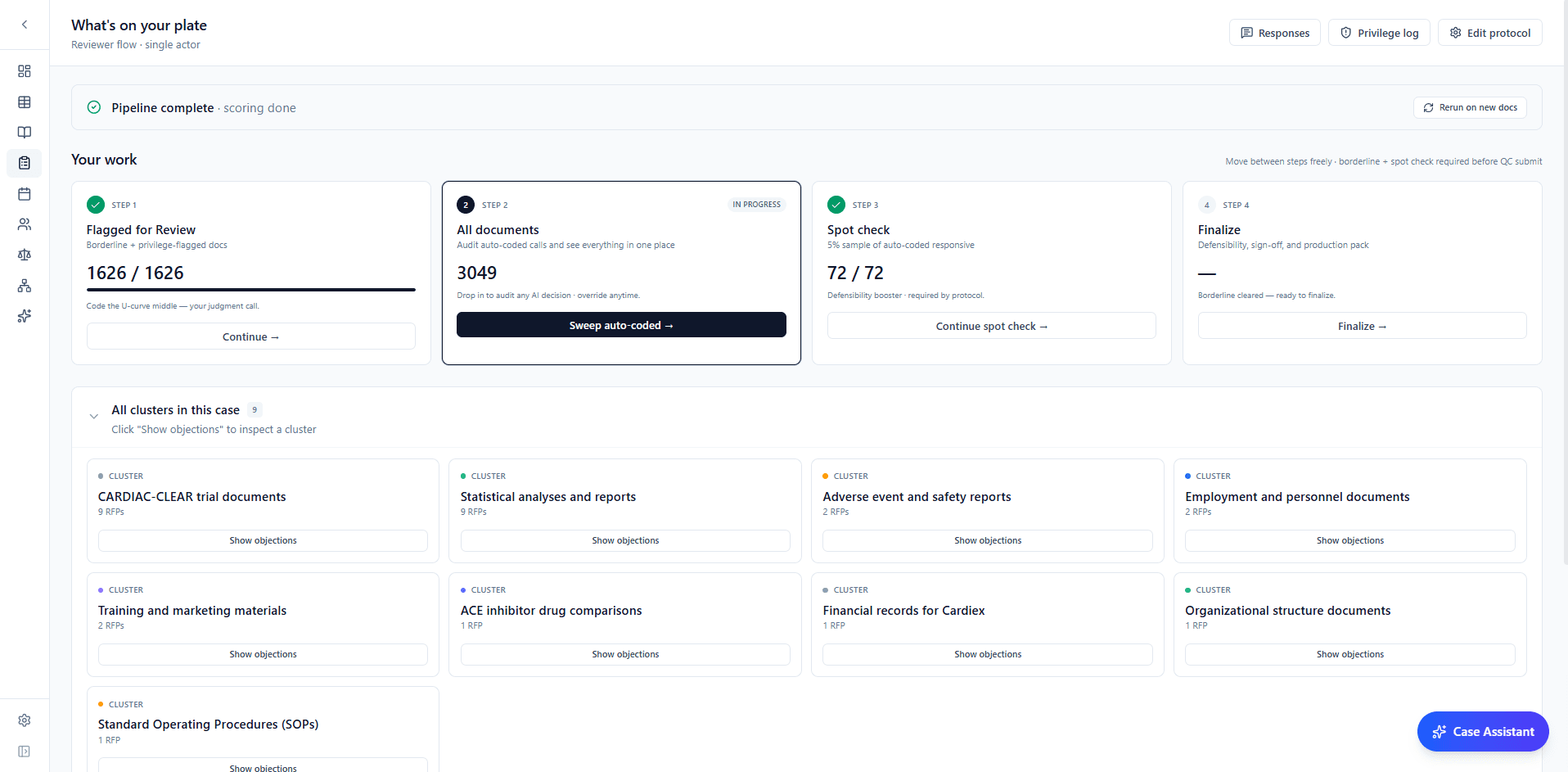
Responding to a request for production used to mean opening every file by hand. Not anymore. You set the protocol once: how requests cluster, which fields to code, the privileged-terms sweep, and where a human signs off. From there Lumios does the work, scoring every document, grouping the requests, drafting the objections and responses, and landing you on a single page built around what needs your eyes: the borderline calls, the auto-coded set to audit, a spot-check, and the final sign-off.
Nothing ships without a human. Borderline docs come to you, privilege gets swept, and every decision is logged, so the whole production stays defensible from the first score to the moment it goes out. Move between steps in any order, override any call, and finish with a set that holds up.
A more capable Case Assistant
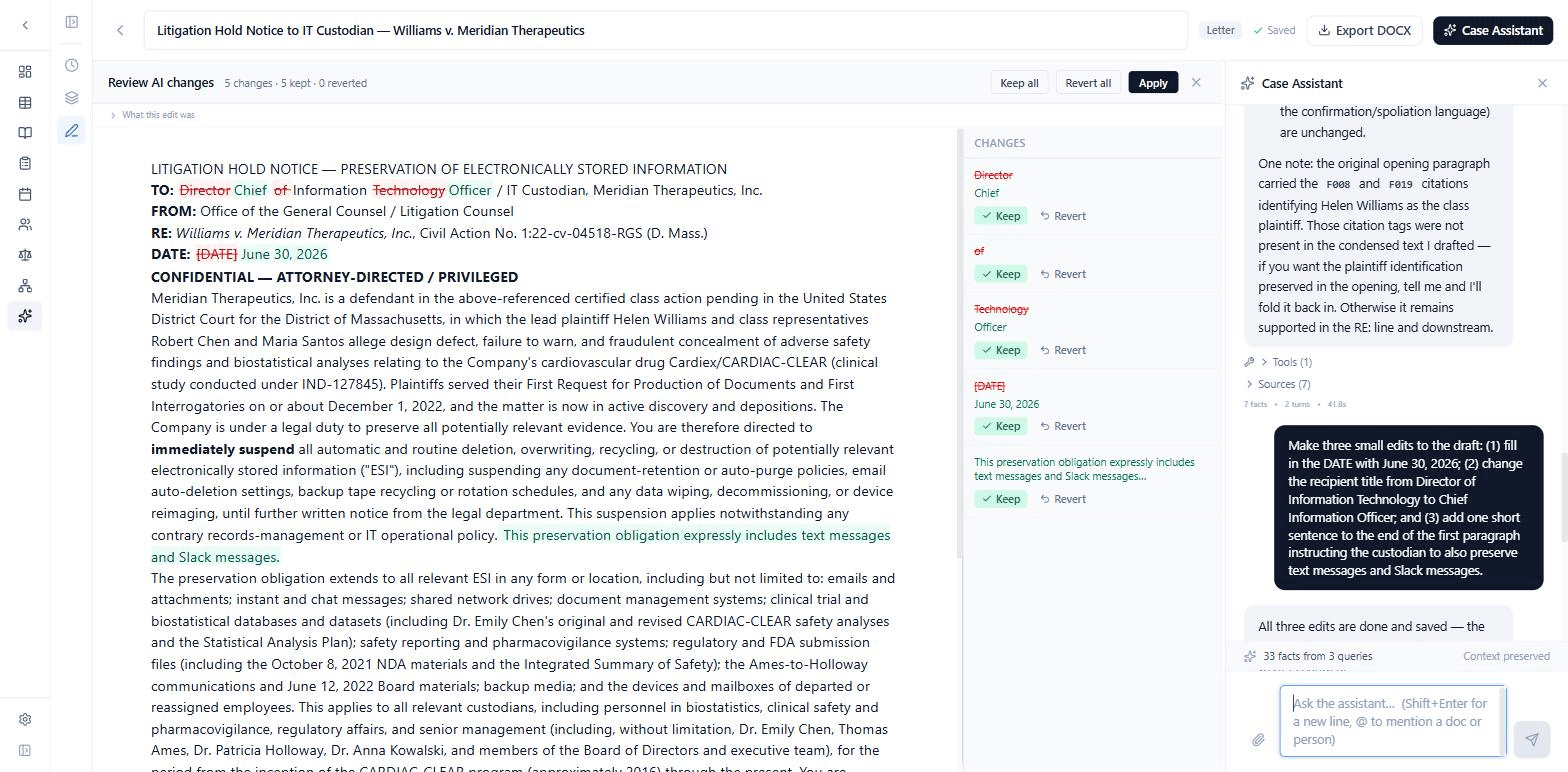
The Case Assistant understands your case better and does more with it. It draws on your facts, your chronologies, and the evidence, so its answers come from the record, not guesswork. Point it where you want by @mentioning any document or person, ask it to revise a draft and the edits come back as a redline you accept or reject line by line, and set custom instructions for one case or every case you work.
You can also run several conversations at once, step away, and pick any of them back up right where you left off. It was the most-requested thing on our list.
Your whole portfolio in one view
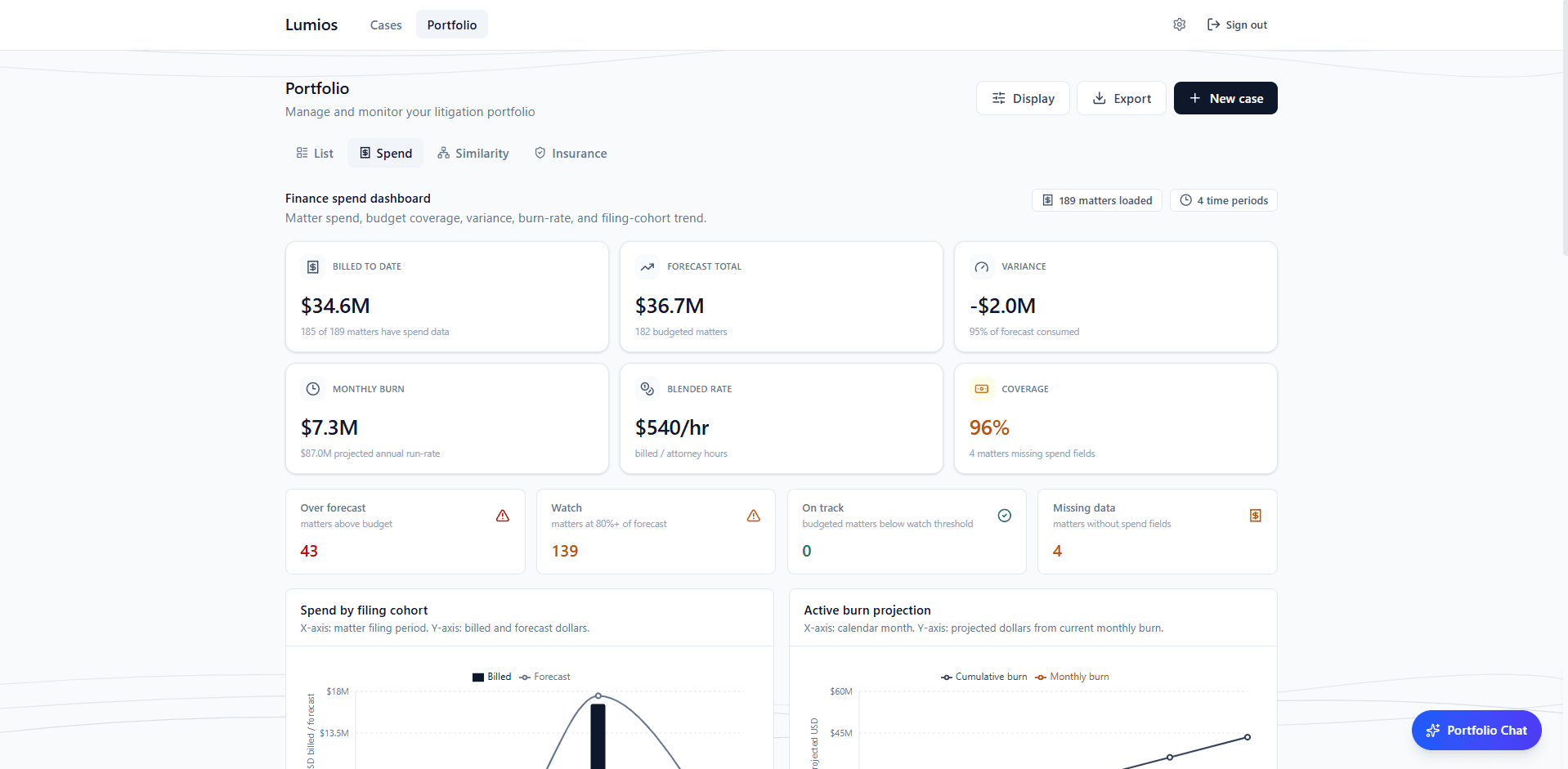
If you run a whole book of matters, you can now see spend, exposure, counsel, and risk in one place. The spend dashboard shows billed-to-date, forecast, variance, blended rate, and burn across the portfolio, with a finance export when you need the workbook. And when a new matter comes in, Lumios recommends the best-fit firm and partner from your own roster, ranked by matter type, rate, and track record.
The portfolio assistant works across every case at once. It keeps a history from session to session, weighs your predicted exposure against how similar matters actually resolved, and surfaces why a case is flagged, who the opposing counsel and judge are, and what to do next. Ask a question across the whole book, then drill into any single matter without leaving the conversation.
Insurance tenders, drafted for you NEW
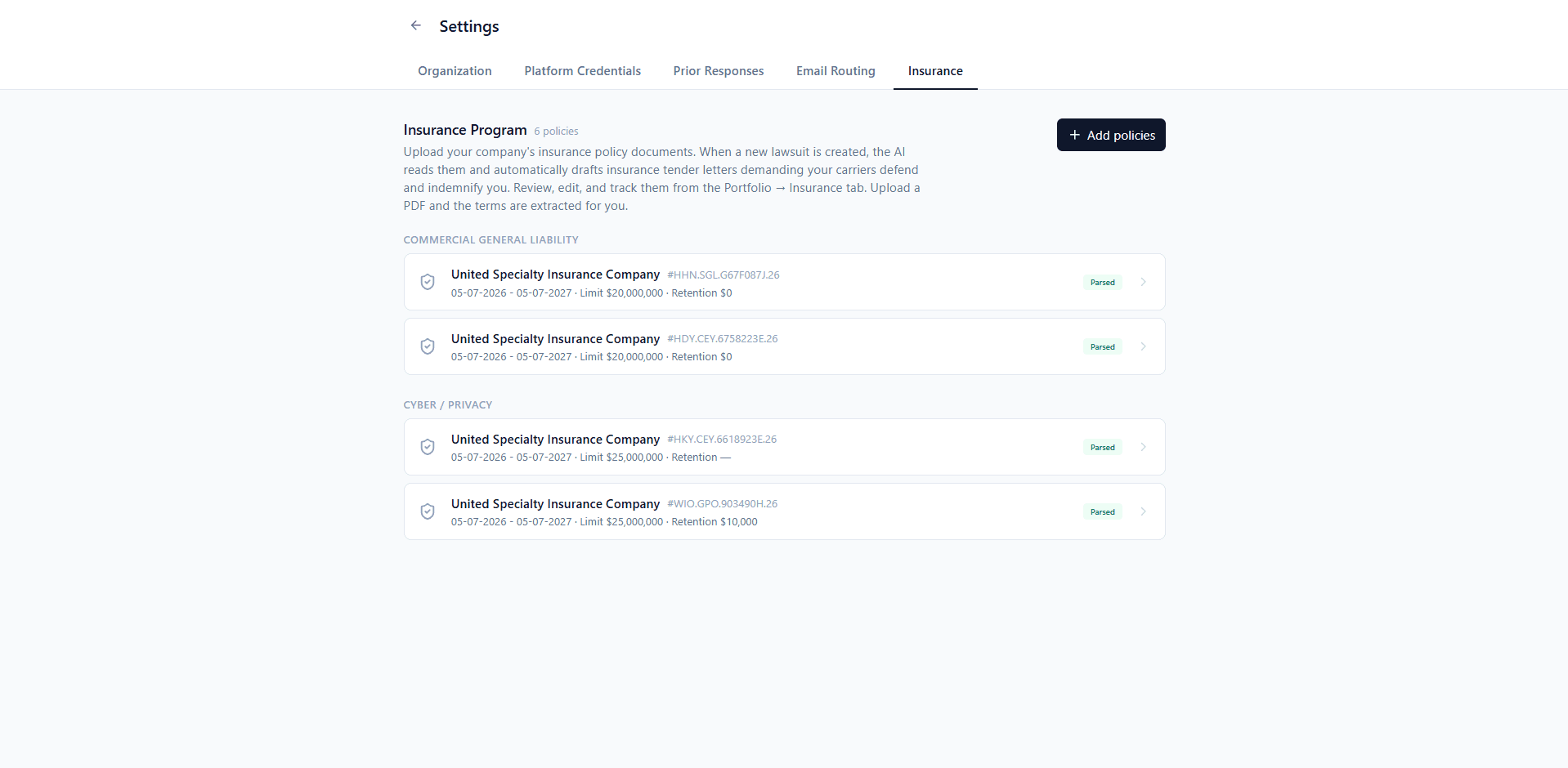
When a lawsuit lands, there's often a carrier who should be covering the defense, but getting them to pay is on you. Lumios now does that work. Load your insurance program once, and when a new complaint comes in, Lumios matches it against your policies, flags the ones that respond, and drafts the tender letter demanding the carrier defend and indemnify. It quotes only your real policy language and leaves a placeholder for anything it doesn't have, so it never invents coverage.
Every tender lives in one place across your matters, with status, coverage-fit, and overdue filters, plus a policy viewer that jumps to the exact provision behind each call. You manage all of it from your portfolio, across every matter, not one case at a time.
What's Next
More teams get on Lumios every week, the firms running the litigation and the in-house teams who hire them. Once both sides are on it, the work stops bouncing back and forth as files and lives in one shared workspace. If you want to help shape where it goes, we'd love to hear from you.
Want to see Lumios in action?
Book a call and we'll walk you through Lumios on your data, or spin up a sandbox so your team can try a case from intake through trial.
Book a CallBest,
Dhruv & Arnav