Welcome to our third newsletter! March was a massive month for Lumios. We shipped defensibility reporting for courts, automated email-to-case intake, redaction across every document type, an AI engine that matches similar cases across your portfolio, and a full collaboration model with role-based permissions. Here's the full rundown.
Company Updates
- We've brought on a couple more amazing investors this month and the momentum is building fast. Things are moving quickly and we're excited about what's ahead. More to share on this soon.
- We're now working with a growing number of boutique litigation firms and running pilots with a couple of larger firms. The feedback from these teams has been incredibly valuable and shaped a lot of what shipped this month.
- We're also piloting with several in-house legal teams, helping them handle discovery obligations and document-heavy workflows without the overhead of traditional review platforms. If you're in-house and want to see how Lumios fits your process, we'd love to show you.
- We published a detailed deep dive on how our discovery workflow actually works, covering per-request scoring, privilege protection, and statistical validation. If you're evaluating or sharing with colleagues, start there.
Discovery & Review
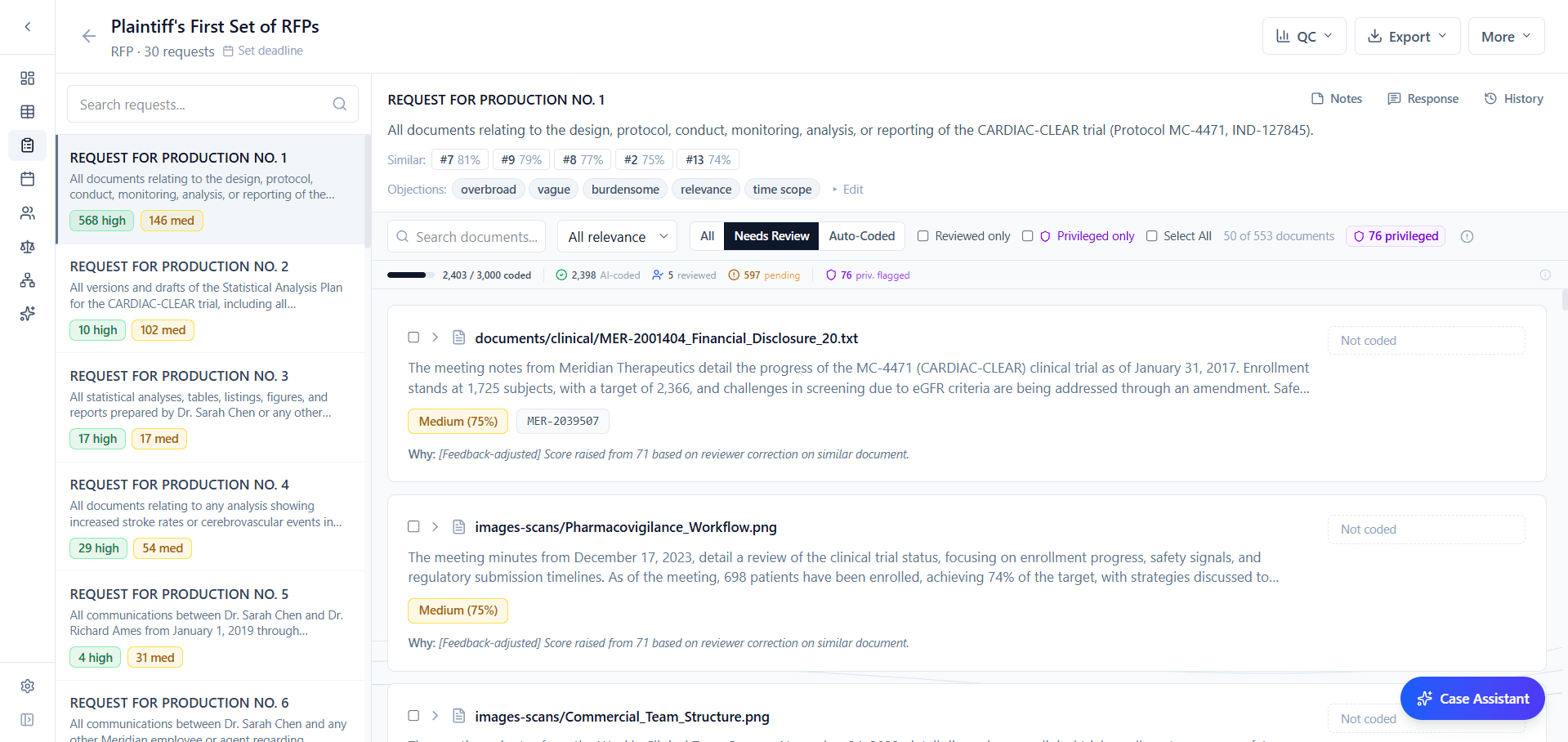
The discovery module shipped in February. Pilot teams have been running it on real cases since, and their feedback drove everything below.
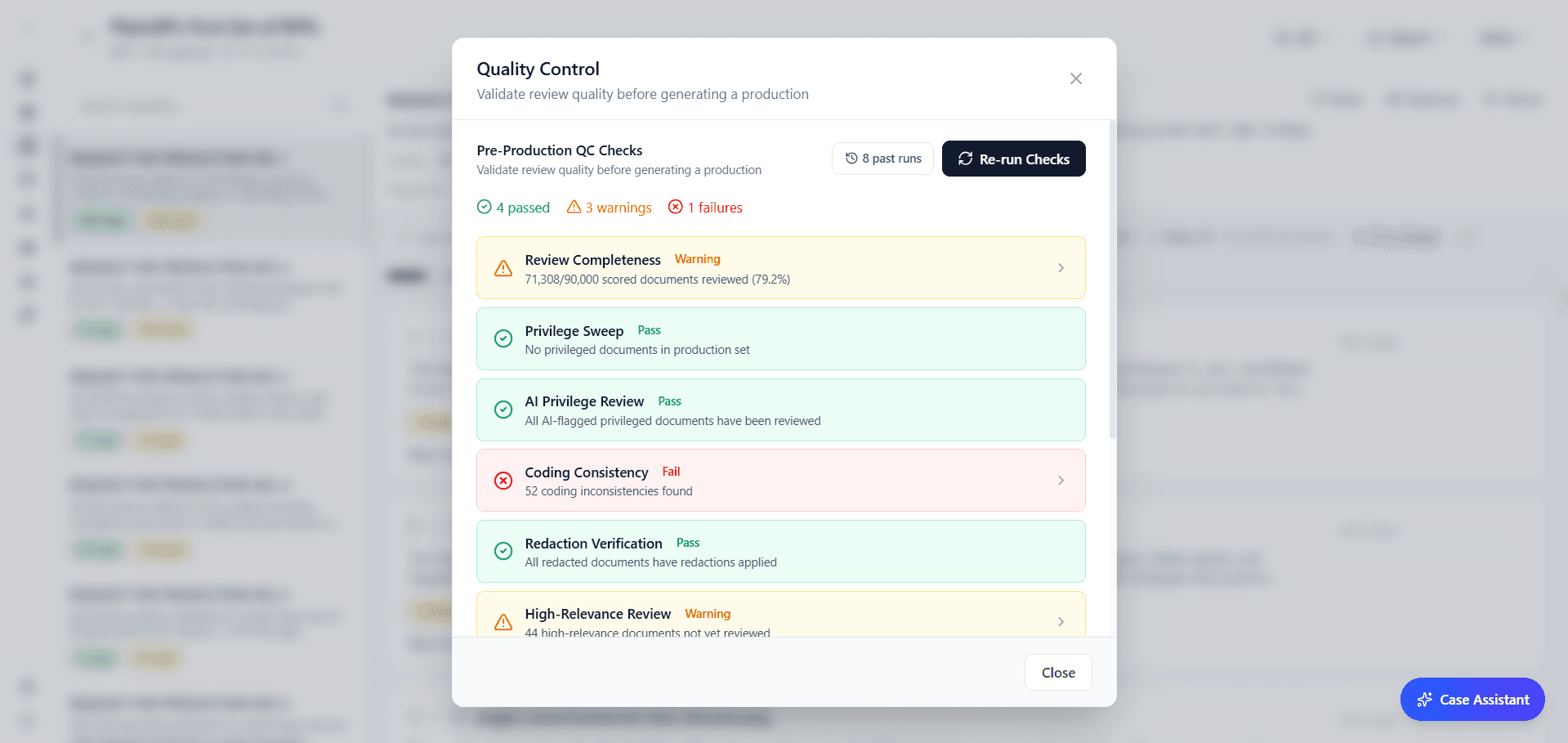
You can now export a full defensibility report as a Word document covering the scoring methodology, exact model versions and prompt hashes used, score distributions, QC and spot check statistics, recall metrics with confidence intervals, and case law citations (Da Silva Moore, Rio Tinto, EEOC v. Tesla). Attach it to a methodology disclosure or file it with a discovery motion.
Every AI scoring decision now records the exact model version and prompt hash, so any decision is reproducible. When two discovery requests share high semantic similarity, coding decisions propagate bidirectionally with a full audit trail showing the propagation source and the similarity score. No more coding the same document twice for overlapping requests.
The review workflow got sharper. When a discovery set enters review, the interface auto-defaults to “Needs Review” with an amber badge showing remaining items, so reviewers aren't scrolling past completed documents to find their next task. Spot checks now support full keyboard navigation: Y/N for approve or flag, arrow keys to move between documents, and a progress bar that turns green when the sample is complete.
Audit logging now covers 42 endpoints with 90+ distinct action labels, and activity entries aggregate intelligently (“Uploaded 20 documents” instead of twenty separate lines). Privilege logs auto-generate one-sentence descriptions per document. Non-PDF files are now included as natives in production packages. Teams can upload their own Word templates for custom response exports with configurable DAT fields.
Response edit history now shows word-level diffs so you can see exactly what changed between drafts, and the response editor has been enlarged for more comfortable editing on complex responses.
Visual redaction was PDF-only in February. Now draw-a-box redaction is supported on DOCX, TXT, email messages, email threads, PPTX, TIFF, and image files. Same click-and-drag interface, same reason picker. Non-PDF files are converted to PDF during production export, and redaction boxes are burned in permanently. One workflow for every format in your case.
The Excel viewer was rebuilt from scratch. The new native viewer supports cell-level filtering, column sorting, and cell-level redaction. Select cells, assign a reason (privilege, confidentiality, irrelevance), and the redaction tracks through to production. For cases with financial records or structured data, this was the biggest gap.
A new document tagging system lets reviewers label documents with custom tags, multiple tags per document, with inline editing directly in the document view. Tags are indexed for fast filtering across large document sets.
Email Threading NEW
Email is the messiest part of any document set. We built a threading engine to make sense of it.
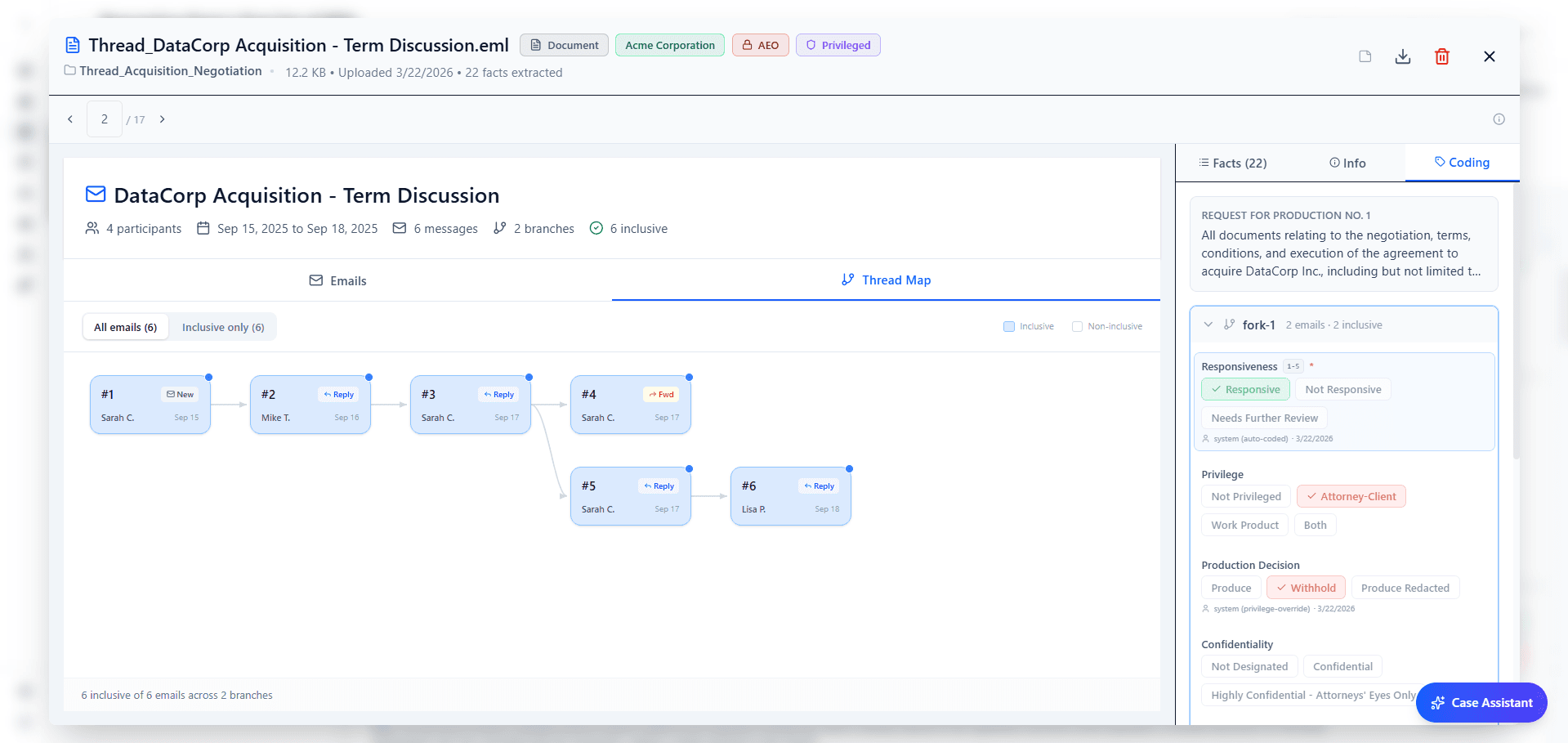
The email threading engine analyzes message chains and builds a full thread graph with fork detection when conversations branch. Each message is classified: terminal (end of chain), unique text (new content), unique attachment, or missing child. Duplicates are flagged automatically. A new thread visualization renders the conversation as a navigable horizontal graph, and an inclusive-only toggle filters out duplicates so reviewers focus on what's unique.
When a thread forks, each branch codes independently. AI suggestions, privilege detection, and auto-coding all run per branch. A single email thread can contain both privileged and non-privileged branches, and the system handles that distinction natively instead of forcing one classification on the entire chain.
Case Triage NEW
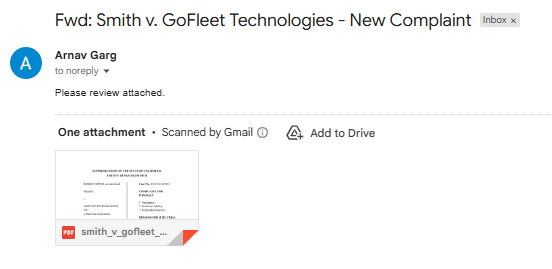
For in-house teams, getting a new matter into a system shouldn't require logging into a portal and filling out forms. Now it doesn't.
Forward an email to your Lumios intake address and the system creates the case automatically. It parses the message, extracts attachments, runs the full collateral extraction pipeline, and sends a threaded reply with the AI's extracted details: matter type, parties, key dates, claims. No portal, no uploads. For in-house teams fielding new matters by email, the entire intake process is now a single forward.
Portfolio NEW
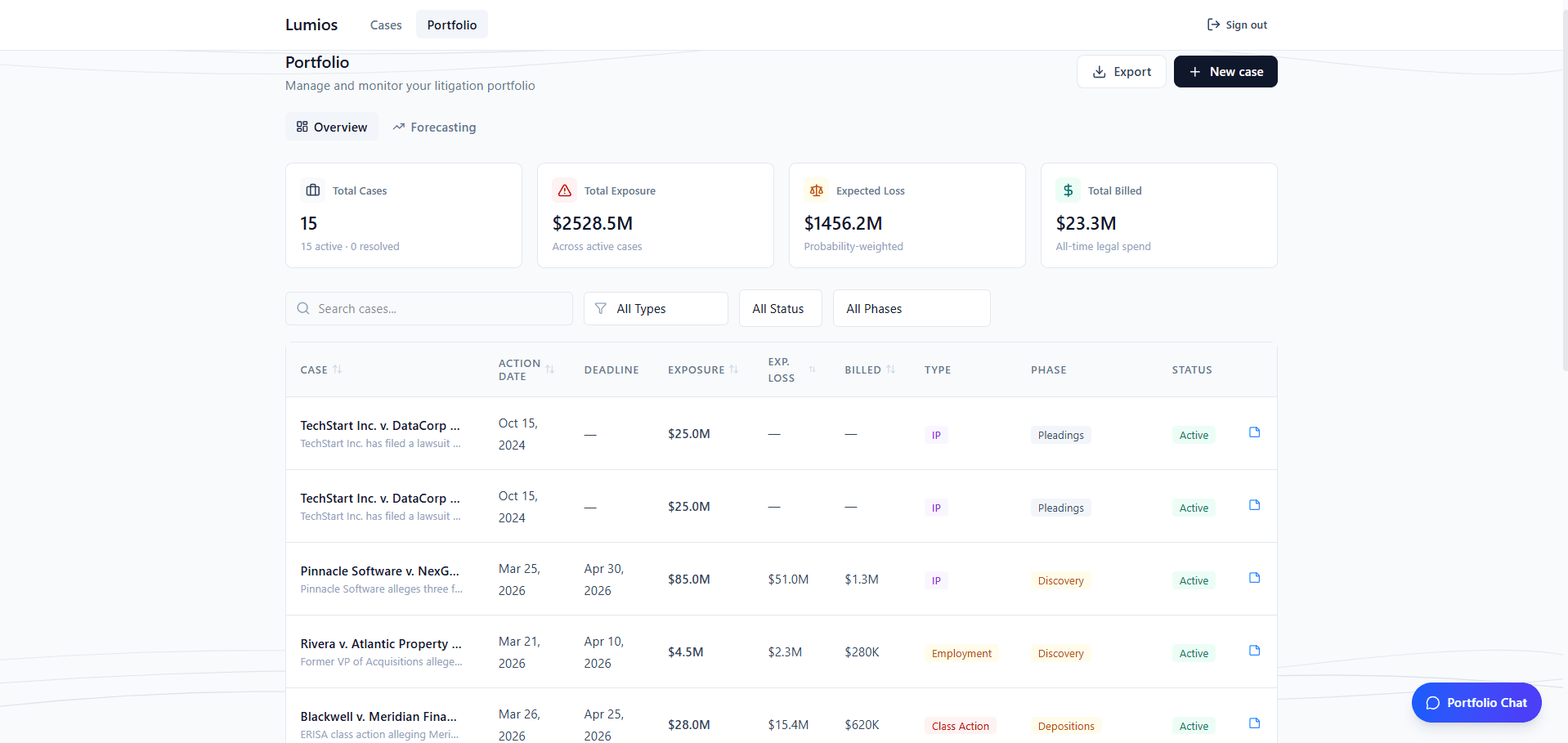
Lumios now learns across your cases, not just within them.
After a case is created, the system automatically extracts roughly 25 structured features: matter type, jurisdiction, court, judge, opposing counsel, causes of action, and more. These populate searchable columns and feed the matching engine.
A weighted similarity algorithm matches cases across your portfolio. Matter type carries the highest weight, followed by jurisdiction and opposing counsel, with additional scoring for shared causes of action, court level, and judge. Each match includes an AI-synthesized summary explaining why the cases are similar, along with outcome data for context.
Similar matters surface as linked case cards with match summaries and outcome amounts. For firms handling recurring matter types, the institutional knowledge that used to live in partners' heads now shows up automatically as you work.
Collaboration
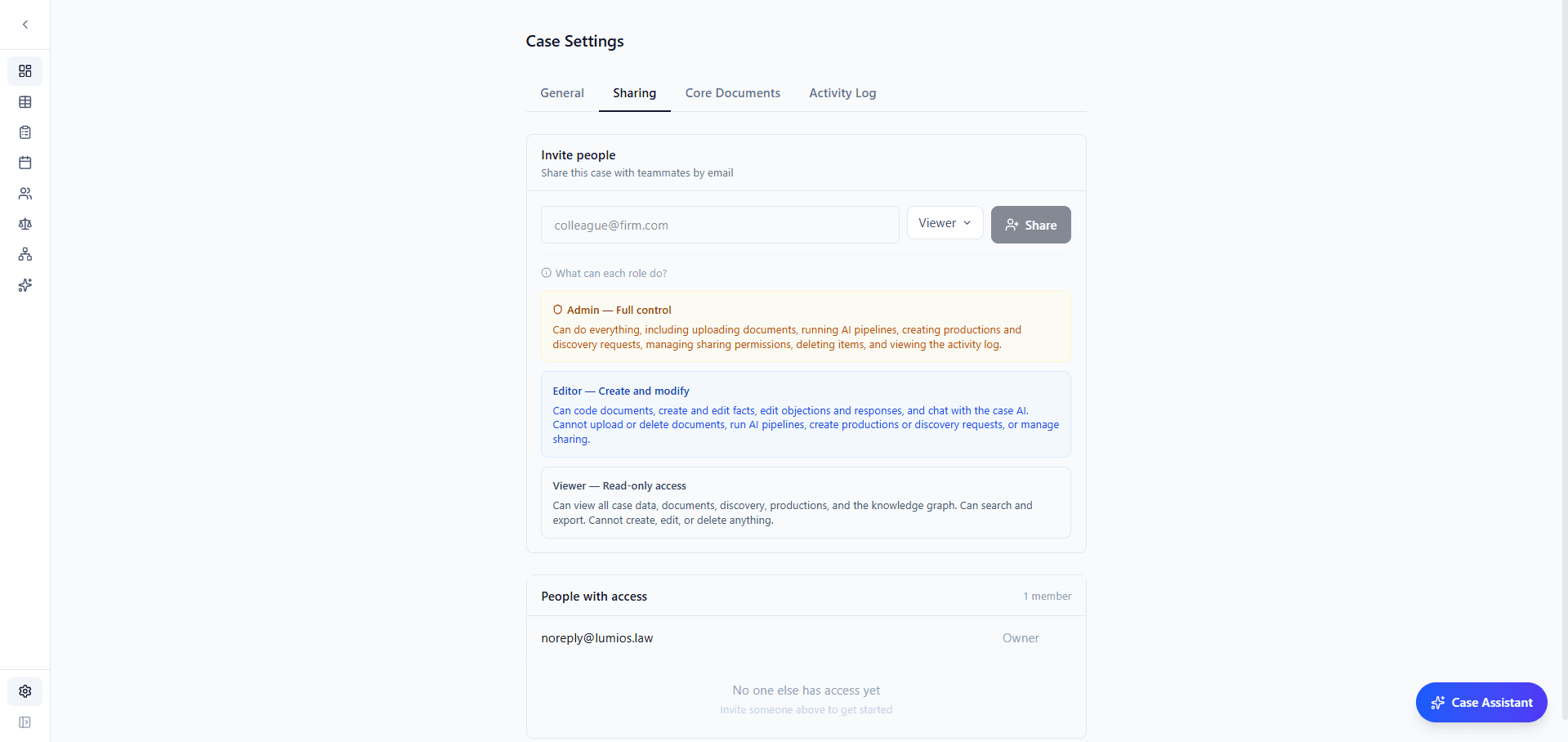
Case access now runs on a three-tier permission model: Viewer, Editor, and Admin. Viewers can browse documents and ask the AI questions but can't modify case data. Editors can review and code. Admins manage who has access. Share a case by email, assign a role, and the invited user gets a guided onboarding with email verification. Every access change (shares, role changes, revocations) is logged to a dedicated audit trail.
What's Next
March was about hardening the platform for real use. In April, we're deepening case intelligence, expanding the entity graph, and continuing to build based on what pilot teams tell us matters most. If you want to shape what comes next, we'd love to hear from you.
Want to see Lumios in action?
Book a call and we'll walk you through the platform on your data, or spin up a sandbox so your team can try the full workflow firsthand.
Book a CallBest,
Dhruv & Arnav